Transaction Refinement
Introduction
In this section, we will be showing the importance of refining the business transactions.
Reviewing the transactions
Once the previous section of importing the transactions is done, please take a note of the list of Business Transactions. Below are the imported transactions and a description of the purpose of the transaction:
| Transaction Name | Description |
|---|---|
| BT - New Call | This transaction is part of the call flow from user calling into the Call Center. |
| BT - SIP ACK | This transaction is part of the call flow from user calling into the Call Center. |
| BT - JASMIN ANSWER | This transaction is part of the call flow from user calling into the Call Center. |
| BT - GET VXML DOC FROM DOM CACHE | This transaction is part of the call flow from user calling into the Call Center. This transaction is split into POST and GET |
| BT - DIALOG CHANNEL CREATE | This transaction is part of the call flow from user calling into the Call Center. |
| BT – INVOKE VB SESSION | This transaction is part of the call flow from user calling into the Call Center. |
| CVP Continue Call | This transaction only shows up, if the VVB Tier isn’t used and is part of the call flow. |
| CVP Create Run Script Task | This transaction only shows up, if the VVB Tier isn’t used and is part of the call flow. |
| CVP Go to App | This transaction only shows up, if the VVB Tier isn’t used and is part of the call flow. |
| CVP Handle MicroApp Task Error | This transaction only shows up, if the VVB Tier isn’t used and is part of the call flow. |
| CVP IVR Call Generate Response | This transaction only shows up, if the VVB Tier isn’t used and is part of the call flow. |
| CVP On End Call | This transaction only shows up, if the VVB Tier isn’t used and is part of the call flow. |
| CVP Start Call | This transaction only shows up, if the VVB Tier isn’t used and is part of the call flow. |
| CVP Subflow Start | This transaction only shows up, if the VVB Tier isn’t used and is part of the call flow. |
| ICM | This transaction is called by the CCEJGW, a Gateway. ICM stands for Intelligent Contact Management. This transaction splits to show the different functionalities within the Gateway for the calls. |
| ICM Failure | This transaction is called, when there’s a failure to the Intelligent Content Management. |
The listed transactions are important to understanding performance degredation of the Contact Center. Once you have load running through the system, you will start noticing a flood of other transaction that is discovered. When working with your customer, understand what other transactions are important to them. List down those transactions and start refining them.
Refinement Process
Before the refinement process, there will be a lot of noise, where most transactions aren’t important, like the screenshot below.
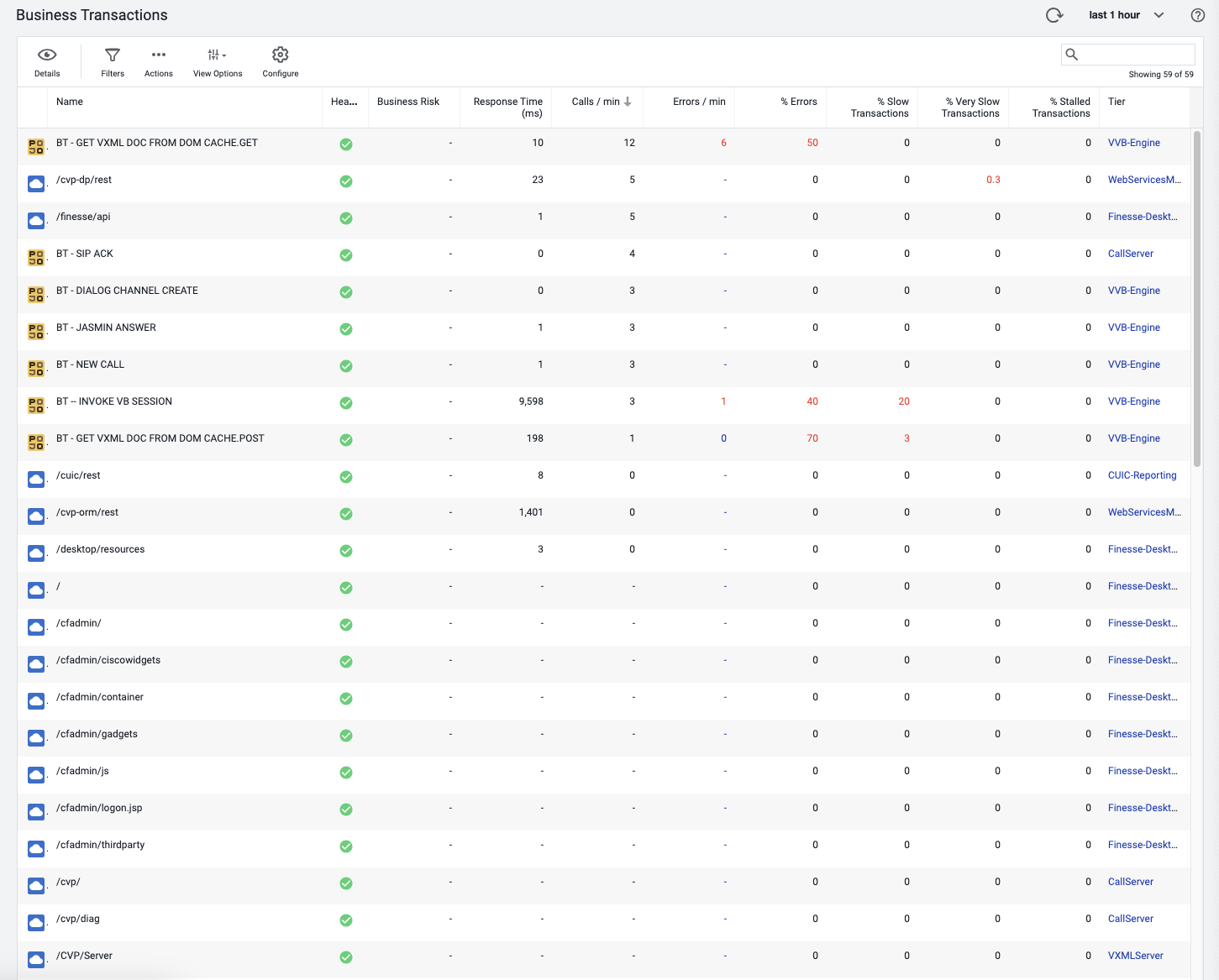
Once you’re ready to refine the transactions, use the steps below to accomplish this:
In Configuration > Instrumentation > Transaction Detection, create the transactions you have defined here.
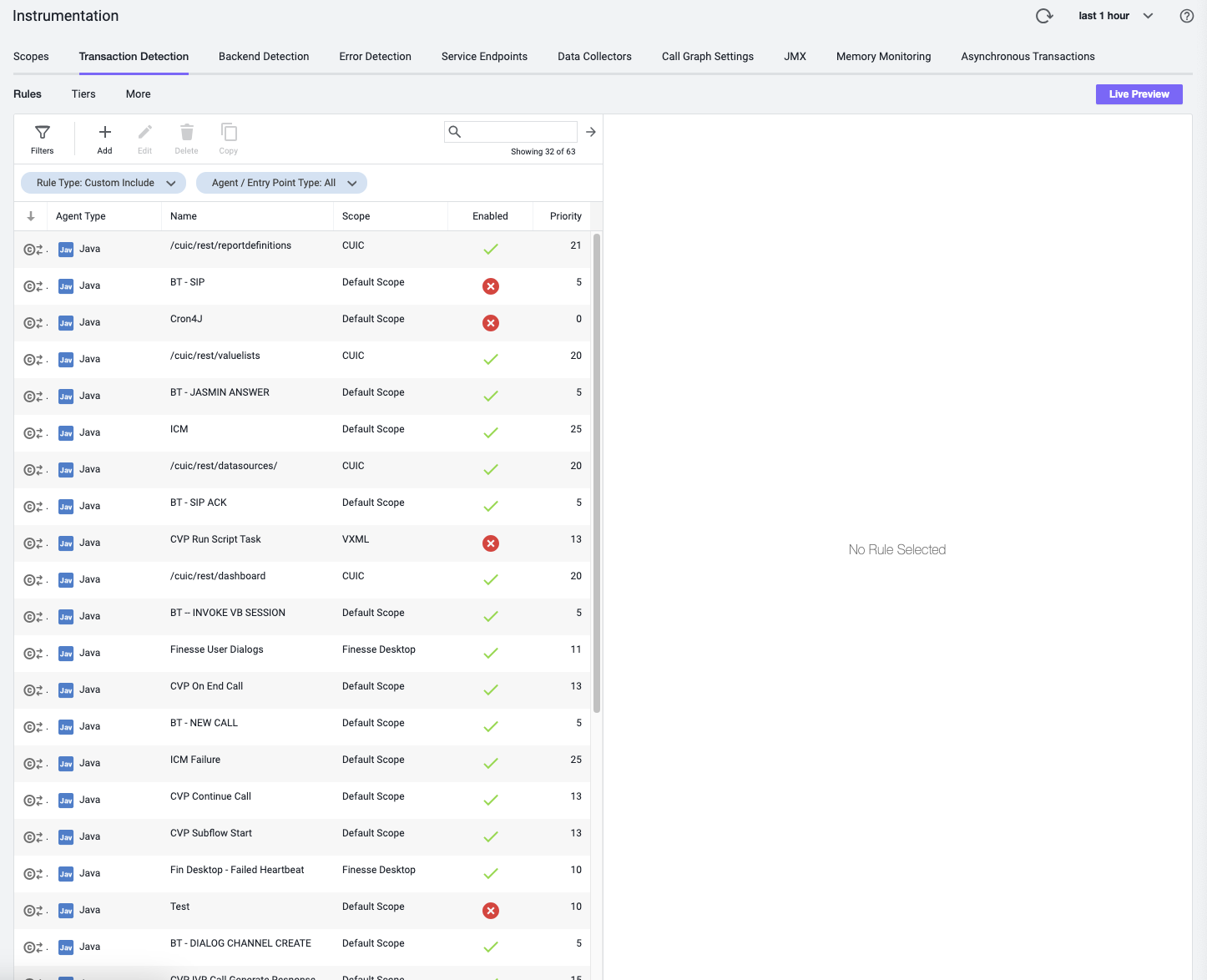
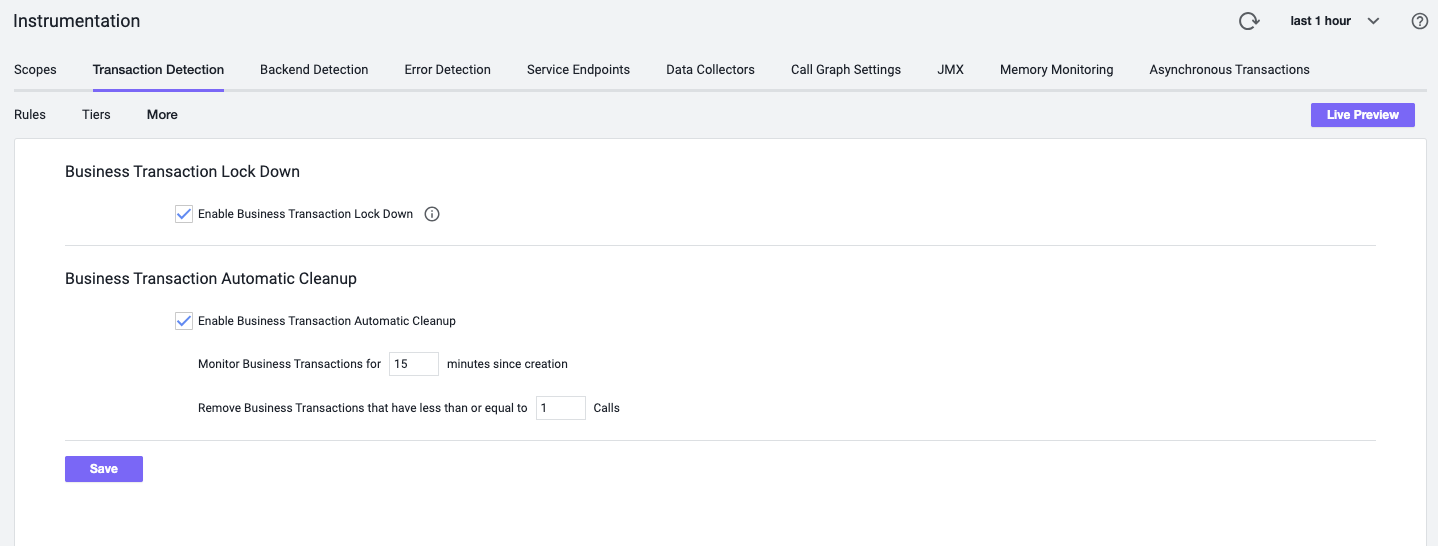
Once you have defined the important transactions, lock down the transactions, so it can group the newly incoming transactions as “All Other Traffic”
Once you have defined and locked down the transactions, delete all the transactions or delete the unnecessary transaction from the Business Transactions list to clean it up
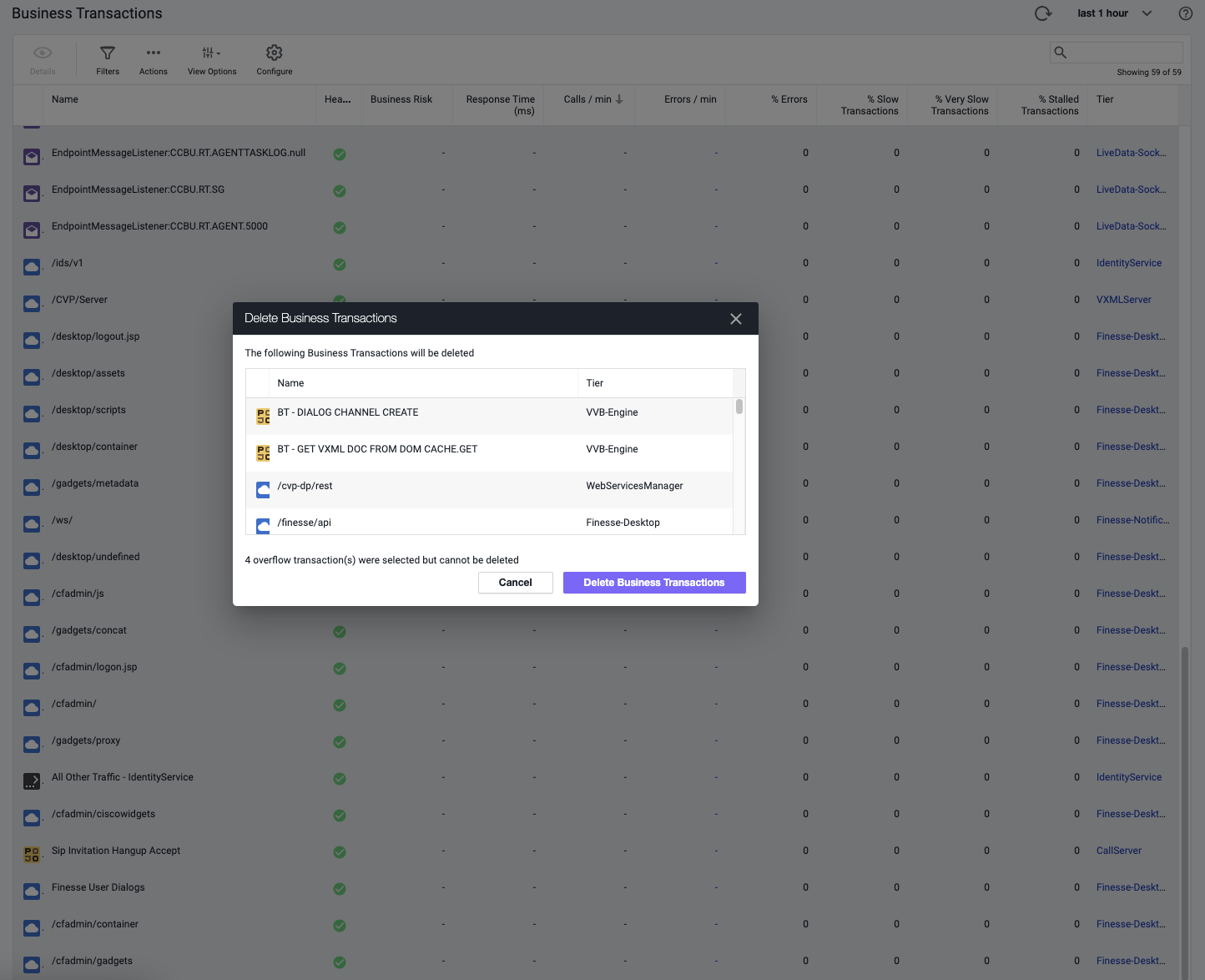
Once deleted, give it a few minutes for the newly defined transaction to show up, while all the other noise gets grouped into “All Other Traffic”